

M6 iMac vs M4 iMac: Is It Worth Upgrading?
The new 24-inch iMac with M6 starts at $1,499. See every real difference from the M4 iMac, who should upgrade and when a discounted M4 is the smarter buy.

Apple’s new 24-inch iMac with the M6 chip went on sale on November 6, and it looks exactly like the M4 model it replaces. Same colors, same screen, same camera, same price to start. So is it worth upgrading, and if you’re buying your first iMac, should you grab a discounted M4 instead? This guide lists every real difference and gives you a clear answer for each situation.
Before you start: prices are Apple’s US prices as of November 11, 2026. Performance figures are Apple’s own claims from its October 27 announcement, measured against specific apps; your results will depend on what you do. Store discounts on the M4 iMac change often, so check them before you buy.
The short answer
- Own an M4 iMac? Keep it. The screen, camera, speakers, design and accessories are identical. The M6 is faster, but not enough to justify buying a new $1,499 computer for most people.
- Own an M1 or an Intel iMac? Upgrade. Apple says the M6 iMac is up to 2.5 times faster than the M1 model in Microsoft Excel and up to 18 times faster than the most popular Intel-based iMac.
- Buying your first iMac, and both cost about the same? Pick the M6.
- Found an M4 iMac at least $250–$300 cheaper than the M6? For email, browsing, school and photos, the discounted M4 is the better value.
There’s no M5 iMac to compare: Apple skipped it and went straight from M4 to M6.
What’s new in the M6 iMac
According to MacRumors, the M6 is built on TSMC’s 2-nanometer process, a step down from the M4’s 3 nanometers. Apple’s announcement highlights five upgrades.
1. Two more CPU and GPU cores. The base model goes from an 8-core to a 10-core CPU and GPU, and the higher model from 10 to 12 cores. Apple says Excel runs up to 1.5 times faster than on the M4 iMac and photo editing in Affinity is up to 2 times faster.
2. Much stronger AI hardware. The M6 has a “Dual 16-core Neural Engine” (the M4 had a single 16-core one) and, per MacRumors, a Neural Accelerator inside each GPU core. Apple claims prompt processing in LM Studio, an app that runs AI models on your Mac, is up to 5 times faster than on the M4. If you mostly use Apple Intelligence features like Writing Tools or Siri AI, you won’t feel a 5x difference; it matters most if you run AI models locally.
3. Faster storage. Apple says the SSD reads and writes up to 2 times faster, thanks to PCIe 5.0 support. You’ll notice it when copying large video files or opening big projects.
4. Wi-Fi 7 and Bluetooth 6. The M4 iMac has Wi-Fi 6E and Bluetooth 5.3. Wi-Fi 7 only helps if your router supports it.
5. Faster wired internet. Ethernet goes from Gigabit to 2.5 Gigabit. It’s standard on the 12-core model and an extra-cost option on the base model, because the Ethernet port lives on the power adapter.
Memory bandwidth also rises from 120GB/s to up to 170GB/s, which helps with graphics and AI work.
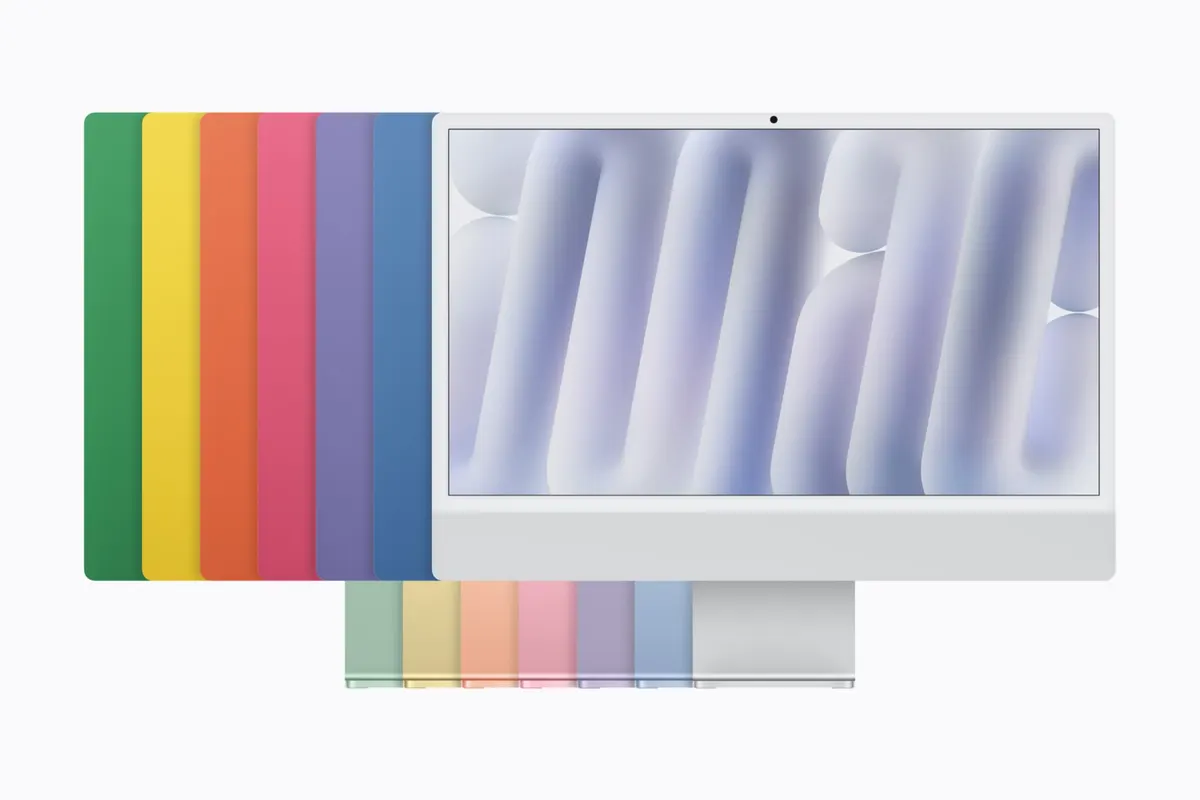
Image: Apple
M6 vs M4 iMac: side by side
| iMac M4 (2024) | iMac M6 (2026) | |
|---|---|---|
| Starting price | $1,499 (since June 2026; $1,299 at launch) | $1,499 ($1,449 education) |
| Higher model | 10-core CPU and GPU, 4 ports | $1,699 ($1,599 education), 12-core CPU and GPU, 4 ports |
| CPU / GPU | 8 or 10 cores | 10 or 12 cores |
| Neural Engine | 16 cores | Dual 16-core |
| Memory bandwidth | 120GB/s | Up to 170GB/s |
| Base memory and storage | 16GB / 256GB | 16GB / 256GB |
| SSD speed | — | Up to 2x faster (PCIe 5.0) |
| Wi-Fi / Bluetooth | Wi-Fi 6E / Bluetooth 5.3 | Wi-Fi 7 / Bluetooth 6 |
| Ethernet | Gigabit | 2.5 Gigabit |
| Display | 24-inch 4.5K Retina, 500 nits | Same |
| Camera | 12MP Center Stage with Desk View | Same |
| Ports | 2 or 4 Thunderbolt 4 | 2 or 4 Thunderbolt 4 |
| Colors | Seven | Same seven |
If you put the two iMacs side by side, you couldn’t tell them apart.
What did not change
This is what decides most upgrades. According to Apple’s announcement and MacRumors’ comparison, the M6 iMac keeps:
- The same thin design and the same seven colors: blue, green, pink, yellow, purple, orange and silver.
- The same 24-inch 4.5K Retina display with 500 nits of brightness. Nano-texture glass, which cuts glare, is still an option only on the four-port model; retailers list that configuration at $1,899.
- The same 12MP Center Stage camera, six speakers and three microphones.
- The same Magic Keyboard with Touch ID and Magic Mouse in the box.
- The same 16GB of memory and 256GB of storage to start, with up to 32GB and 2TB if you configure it.

Image: Apple
If your M4 iMac’s screen, sound and camera already work well for you, the M6 doesn’t change your daily experience.
Who should upgrade
You own an M4 iMac
Stay put. It runs macOS 27 and every Apple Intelligence feature, including Siri AI and Visual Intelligence. MacRumors’ buying guide says there’s little reason for most M4 owners to upgrade. The only exception: you run local AI models or edit heavy video every day and the extra speed saves you real time.
You own an M1 or M3 iMac
This is a judgment call. The M1 iMac is now five years old, and Apple says the M6 is up to 3.3 times faster in graphics and up to 12 times faster in on-device AI prompt processing. If your M1 feels slow or is running out of storage, the M6 is a big jump. If it still does everything you need, you can wait. M3 owners can usually wait another generation.
You own an Intel iMac
Upgrade. Intel Macs no longer get the newest macOS features or Apple Intelligence, and Apple says the M6 iMac is up to 18 times faster than the most popular Intel-based iMac. Before you switch, our guide on why a Mac gets slow after the macOS 27 update explains what to clean up first when you move your files.
You’re buying your first iMac
If both cost the same, the M6 is the obvious pick: faster, better Wi-Fi and better for AI for the same money. If a store has the M4 at a clear discount, the M4 is still an excellent everyday computer.
Which M6 iMac should you buy?
- $1,499 base model (10-core, two ports): enough for families, students and home offices. Consider paying extra for 512GB of storage if you keep photos and videos on the Mac, because 256GB fills up quickly once Apple Intelligence models are installed. Our guide on how much space Apple Intelligence takes on a Mac explains why.
- $1,699 model (12-core, four ports): worth it if you need more ports for external drives or a second display, want 2.5 Gigabit Ethernet built in, or want the nano-texture glass option.
- 32GB of memory: only for heavy photo and video editing or running AI models locally.
If you’re torn between an iMac and a laptop, the M6 vs M5 MacBook Pro guide covers the 14-inch MacBook Pro that launched alongside it.
Frequently asked questions
Is there an M5 iMac? No. Apple went straight from the M4 iMac to the M6 iMac, so the M4 is the model to compare against.
Does the M6 iMac look different from the M4 iMac? No. According to Apple and MacRumors, the design, the seven colors, the 24-inch 4.5K display and the 12MP camera are the same. Only the chip, storage speed, Wi-Fi and Ethernet changed.
What comes in the box? A color-matched Magic Keyboard with Touch ID and a Magic Mouse, both with USB-C, the same as with the M4 model.
Can an M4 iMac use Apple Intelligence and Siri AI? Yes. The M4 iMac runs macOS 27 and supports Apple Intelligence, so you don’t need the M6 to get Siri AI or Writing Tools.
Our recommendation
For most people, the M6 iMac doesn’t replace an M4 iMac: it replaces older ones. If you have an M4, keep it. If you’re coming from Intel or an aging M1, the $1,499 M6 iMac is the one to buy, ideally with 512GB of storage. And if you find an M4 iMac discounted by $250 or more, it’s still a smart purchase for everyday use.